
Visible mobile
Visible Services, LLCCommunication
4.614.46K Reviews
- Version
- 3.0.6
- Installs
- 1.00M
- Age Rating
- Everyone
Screenshots
Our Review of Visible mobile
 Analysis by Appyee
When a phone service app becomes part of a household routine, the important question is not only whether it works on one person’s phone. I also want to know whether it keeps different users, numbers, and responsibilities clear. I spent time looking at Visible mobile from that angle, and I found a communication app that makes the most sense for people already considering Visible as their mobile-service option, rather than for someone searching for a general-purpose family chat tool.
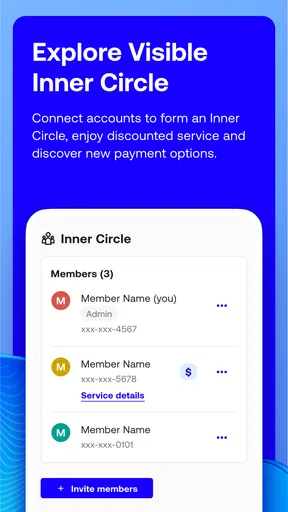
The app is free to install, is listed for Everyone, and comes from Visible Services, LLC. Its store summary presents it as a modern approach to phone service, but that phrase is less useful than understanding its practical role: this is an app connected to mobile-service management and communication, not a replacement for every messaging app in the household. That distinction matters when several people share devices, compare bills, or help one another with phone setup.
How Visible mobile fits into a shared household
A realistic example is a household where one person handles service decisions while another person uses the phone every day. Perhaps a parent is helping a teenager move to a new phone, or one partner is more comfortable managing mobile accounts while the other simply wants reliable access to calls and messages. In that situation, Visible mobile can be useful as part of the service relationship, but I would not treat it as a shared family dashboard unless every person understands exactly whose account and phone number are involved.
That is the first practical rule I would give a friend: keep the app tied to the person and line it is meant to manage. Installing it on a shared tablet or passing one signed-in phone around can make ordinary tasks confusing. A household may share the cost of service, but that does not automatically mean every member should use the same app session. Separate phones, clear account ownership, and an agreed person responsible for service changes create a much cleaner arrangement.
This is especially relevant when a family member replaces a device. The person doing the setup may be different from the person who will carry the phone afterward. I would prepare the account details before beginning, identify the intended number and device, and avoid making changes while several people are giving instructions at once. A few minutes of organization can prevent the common mistake of configuring the wrong phone or leaving the next user unsure which account is active.
Visible mobile is therefore strongest when it supports an already understood mobile arrangement. It is less suitable as a neutral coordination space where everyone in a household expects to see everyone else’s activity. For conversations between family members, a normal messaging service remains the clearer choice. For service-related tasks, the Visible app has a more focused purpose, and that focus is helpful when users respect the account boundary.
What I would clarify before installation
Before putting the app on a shared device, I would answer four simple questions: whose number is being managed, who owns the account, who is allowed to make service changes, and who will troubleshoot the phone later? These are not app features; they are household decisions. Making them explicit avoids turning an ordinary phone problem into an argument about access or responsibility.
I would also avoid assuming that a family member’s ability to hold the phone means they should be able to manage the service. A child may use the handset every day without needing access to account decisions. An older relative may need help with setup but prefer to keep the phone and service relationship in their own name. Visible mobile can sit inside either arrangement, but the household still needs to define the limits.
For a shared-device environment, the most useful workflow is usually hands-on assistance rather than permanent shared access. The person helping can guide the owner through the relevant screens, confirm the phone number and device, and then let the owner keep control. That approach is slower than everyone using one login, but it is easier to understand later and reduces accidental changes.
Managing coordination without mixing identities
Household coordination often fails because people confuse service management with communication. Visible mobile may be part of the process of keeping a phone connected, but it should not become the place where a family records every appointment, school message, emergency contact, or delivery update. I would use a family messaging group or calendar for those tasks and keep the mobile-service app focused on the line and account it belongs to.
This separation has a useful side effect: it makes troubleshooting more precise. If a family member says, “the phone is not working,” I can first ask whether the issue concerns calls, messages, mobile data, the device itself, or the service account. The app belongs in only part of that conversation. A messaging group can coordinate who is helping, while the account owner handles the service-specific action. That division prevents three people from changing settings at the same time.
For couples or roommates sharing expenses, I would keep a simple private note stating who pays, which number belongs to which person, and who should be contacted before a service change. This is not glamorous, but it is more dependable than relying on memory. It becomes particularly valuable when someone upgrades a phone, gives an old device to another household member, or temporarily uses a spare handset.
One non-obvious trade-off is convenience versus accountability. A single shared sign-in may feel efficient, but it can hide who initiated a change and make the next step unclear. Separate use requires more coordination at the beginning, yet it gives each person a clearer relationship with their own line. For a household that values predictable handoffs, I prefer clarity over the few seconds saved by sharing access.
Setup boundaries that prevent avoidable confusion
The app runs on Android devices using version 7.0 or later, which gives it a broad compatibility range for households with older phones. That does not mean every old handset will feel equally comfortable to use. A phone can meet the operating-system requirement and still be awkward for someone with limited vision, low confidence with settings, or little experience moving between apps. I would test the experience on the actual phone that will be carried, not only on the newest device in the home.
During setup, I would keep the phone’s owner present whenever possible. They should know which account is being used and why a particular step is necessary. If another person is doing the technical work, I would explain each decision in plain language instead of silently completing everything. This is particularly important when the phone belongs to an older relative, because future support is easier when the owner recognizes the app and understands its role.
Another useful boundary is deciding what happens when a device changes hands. Before giving a phone to another family member, review which service account it is connected to and remove the previous user’s personal information through the normal device-transfer process. Do not assume that installing Visible mobile for the next person automatically separates the old identity from the new one. The app can be part of a clean handoff, but the household must handle the handoff deliberately.
I would also avoid installing the app on every household phone merely because it is free. Free installation is convenient, but unnecessary copies can create uncertainty about which device should be used for service tasks. Install it where it has a clear purpose: the owner’s phone, or a helper’s phone temporarily used during setup. Keeping the number of access points sensible makes support easier.
For a teenager, I would make the boundary even clearer. The young person can be responsible for everyday phone use while an adult remains the person who approves account changes. That arrangement does not require treating the teenager as incapable; it simply separates daily communication from service administration. Visible mobile can support the phone relationship, but it does not replace a family agreement about responsibility.
Age, trust, and the meaning of an Everyone rating
The Everyone content rating is reassuring in the narrow sense that the app is presented as suitable for a general audience. I would not interpret that label as a complete family-safety plan. Age suitability and account trust are different questions. A child may be allowed to use a communication-related app while still needing an adult to explain privacy, spending decisions, number ownership, and what to do when a message or call seems suspicious.
With younger users, my advice would be to focus on the phone’s broader environment rather than expecting Visible mobile to provide family supervision. Discuss who may call, what personal details should not be shared, and when to ask an adult for help. Keep the service account under the responsible adult’s control if that is the household’s chosen arrangement, and make sure the child knows how to reach a trusted person without needing to understand account management.
With older relatives, trust works in the opposite direction. The goal is not to restrict ordinary use but to prevent well-meaning assistance from becoming confusing. I would let the owner make the final decisions, write down the basic support plan, and avoid changing several things during one visit. If a problem appears later, a small record of what was done is more useful than a vague memory that “the app was fixed.”
Shared devices deserve extra care because notifications, account screens, and saved information may be visible to the next person holding the phone. I would not use a communal handset for sensitive service administration unless the household has agreed on who may see it. A personal phone is generally the cleaner home for an account-related app, even when the bill is shared.
Where it compares well with ordinary alternatives
Compared with a standard messaging app, Visible mobile is more specialized. A chat app is better for coordinating dinner, school pickups, group events, and quick household questions. Visible mobile is relevant when the conversation is about the mobile-service relationship itself. Choosing between them is not really a contest; they solve different problems. Trying to use a service app as the family’s main communication hub would make the household workflow less clear.
Compared with managing everything through a mobile browser, a dedicated app can feel more direct on the phone that is already used for communication. That convenience is valuable for the account owner, especially during device setup or service checks. The trade-off is that the app adds another identity and access point to remember. Someone who rarely manages their own mobile service may prefer browser access or help from a trusted person, while a hands-on phone owner may appreciate having the relevant tools close by.
Compared with a carrier’s broader account ecosystem, the appeal here is focus. Visible mobile is associated with Visible rather than trying to be a universal household organizer. That can make the experience easier for a person who wants a straightforward relationship with one mobile provider. On the other hand, households comparing several carriers, managing many unrelated services, or expecting extensive family administration may find a broader account system more convenient.
The app has attracted a 4.6 average from around 74 thousand ratings, with more than a million installs. Those figures suggest that many people find a reason to keep it on their phones, but they do not tell me whether it will fit a particular household’s habits. A family that needs clear account ownership may value it more than a family that simply wants a shared place to chat.
Small habits that make everyday use smoother
My first habit would be to name the responsibility, not just the device. “This is the app for Alex’s line” is more useful than “this is the phone app,” especially when several handsets are on a kitchen table. My second would be to do service-related tasks when the line owner is available. That prevents a helper from making a correct change that the owner does not understand afterward.
My third tip is to separate urgent communication from account maintenance. If a phone suddenly loses service, use another agreed method to contact the household and coordinate help. Do not assume that the affected phone, the app, and the person who manages the account will all be available at once. Keeping a backup contact method is a sensible household practice for any mobile provider.
I would also check the app after a major device handoff rather than assuming the previous arrangement carried over perfectly. Confirm who is using the phone, which number the household expects to reach, and whether the owner knows how to ask for help. This simple review catches misunderstandings before they become urgent.
The current version is 2.2.28, so I would keep the app updated through the normal platform process when updates are offered. I would not promise that every update will change household management or solve a particular phone problem. The practical reason to stay current is simply to avoid troubleshooting an old app build when the service or device environment has moved on.
Who should choose it, and who should skip it
I think Visible mobile is a reasonable choice for a Visible customer who wants a dedicated way to stay connected with the service on a phone. It can also suit a household where one person provides setup help while each user keeps a clearly defined phone and account relationship. The free price removes an installation-cost barrier, and the broad Android compatibility makes it accessible to people who are not using the newest handset.
I would be more cautious if the main goal is parental oversight, shared family messaging, or a single control center for every household member. The Everyone rating does not turn the app into a supervision tool, and a mobile-service app is not a substitute for a family communication system. I would also look elsewhere if the household needs a provider-neutral solution that can manage several carriers together.
It may be a poor fit for someone who dislikes account-based phone management altogether. If the user only wants to make calls and send messages and never expects to handle service tasks, an app connected to the carrier may feel like extra complexity. In that case, assistance from the account owner or a browser-based approach may be less distracting.
For shared devices, I would skip a casual “everyone uses the same login” arrangement. That is not a criticism of the app so much as a warning about household design. The cleaner choice is to keep the service relationship attached to the intended owner and use separate tools for group coordination.
My household verdict
After looking at Visible mobile as part of a shared-device household, I see it as a focused communication and mobile-service companion rather than a family management platform. Its value comes from putting the relevant service relationship on the user’s phone, while its limitations become obvious when people expect it to organize relatives, supervise children, or replace a messaging group.
I would recommend it to a Visible user who wants a direct app-based connection with their mobile service and is willing to keep account boundaries clear. I would install it thoughtfully, explain who owns the line, and avoid spreading one sign-in across every shared device. Those small choices make the experience more predictable for couples, parents, roommates, and relatives helping with setup.
Visible Services, LLC has kept the app’s role easy to understand: it belongs beside the phone service, not above the household’s own rules. With that expectation, I find it useful and approachable. Without it, the app can become another source of confusion in a home where several people share devices or responsibilities. My recommendation is positive, but only when personal communication, service management, and household trust remain clearly separated.
Privacy and Permissions
See what permissions an app requests and how it handles your data.
- Location
- approximate location (network-based), precise location (GPS and network-based)
- Phone
- read phone status and identity
- Photos/Media/Files
- read the contents of your USB storage, modify or delete the contents of your USB storage
- Storage
- read the contents of your USB storage, modify or delete the contents of your USB storage
- Wi-Fi connection information
- view Wi-Fi connections
- Device ID & call information
- read phone status and identity
- Other
- view network connections, change network connectivity, connect and disconnect from Wi-Fi, full network access, run at startup, draw over other apps, control vibration, prevent device from sleeping, read Google service configuration
Verdict
Strengths of Visible mobile
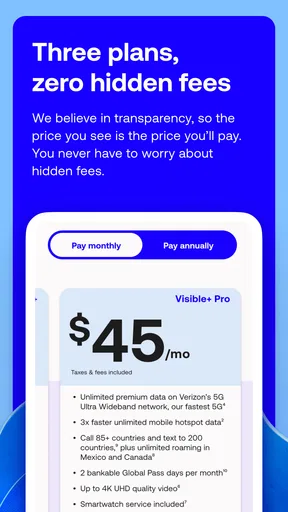
- Uses Verizon’s reliable 5G and 4G LTE network.
- Plans include unlimited talk, text, and data.
- Mobile hotspot access is included with every plan.
- No annual contracts or credit checks are required.
- International calling and roaming options are available.
Limitations of Visible mobile
- Data speeds may be reduced during network congestion.
- Premium data allowances vary by plan.
- Hotspot speeds and limits can restrict heavy use.
- Customer support is mainly handled online or in the app.
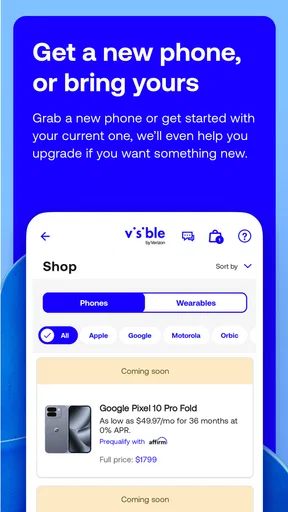
- Phone selection is smaller than at major carrier stores.
Similar Picks in This Category
View All
Google Messages
Google LLC4.6

Gmail
Google LLC4.1

Google Meet
Google LLC4.4

Google Chrome
Google LLC4.1

WhatsApp Messenger
WhatsApp LLC4.6

Carrier Services
Google LLC4.2
Frequently Asked Questions
What is Visible Mobile, and how does its service work?
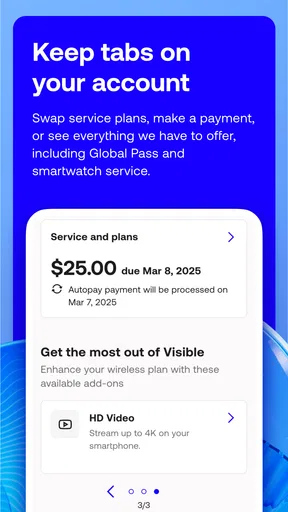
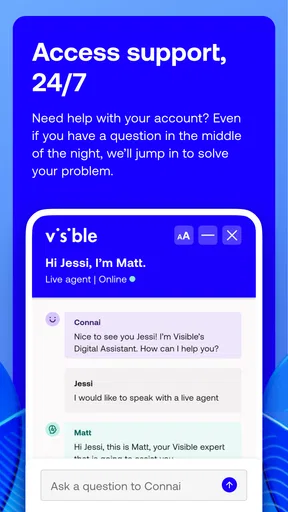
Visible Mobile is a wireless carrier that operates on Verizon’s network and focuses on simple, app-based phone plans. Account management, plan changes, payments, and support are handled primarily through the Visible app or website. Depending on the plan and location, customers may receive unlimited talk, text, and data, with hotspot and international features varying by plan.
Does Visible Mobile offer reliable coverage and fast data speeds?
Visible generally benefits from Verizon’s extensive nationwide network, making coverage strong in many urban, suburban, and rural areas. However, actual performance depends on your location, device compatibility, network congestion, and plan type. During busy periods, data speeds may be temporarily reduced, so it is wise to check Verizon coverage and Visible’s availability before switching.
Is Visible Mobile truly unlimited, and are there any restrictions?
Visible plans are marketed with unlimited data, talk, and text, but “unlimited” service can still be subject to network management and plan-specific limitations. Speeds may be affected during congestion, and mobile hotspot usage may have speed caps or other restrictions. Video quality, international usage, and premium data availability can also differ between plans.
Can I keep my existing phone number and use my current device with Visible?
In many cases, you can transfer your existing phone number to Visible and bring a compatible unlocked phone. Before ordering, check the device’s compatibility using Visible’s online tool, especially if the phone was purchased from another carrier. You will typically need your current account number, transfer PIN, and billing information to complete the number transfer.
What are the main advantages and disadvantages of using Visible Mobile?
Visible’s main advantages include straightforward pricing, no traditional contracts, convenient app-based account management, and access to Verizon’s network. It can be a good choice for users who want unlimited service without visiting a retail store. Potential disadvantages include limited in-person support, restrictions on hotspot or international features, and slower data during network congestion.
